Hello,
You may notice that CalMHSA training dashboards and reports now reference a UserID instead of displaying your name. This UserID is a unique identifier linked to your training account.
How to Find Your UserID in CalMHSA Learns
-
Log in to the CalMHSA Learns training platform.
-
Navigate to your profile or account settings.
-
Click on a course you have completed.
-
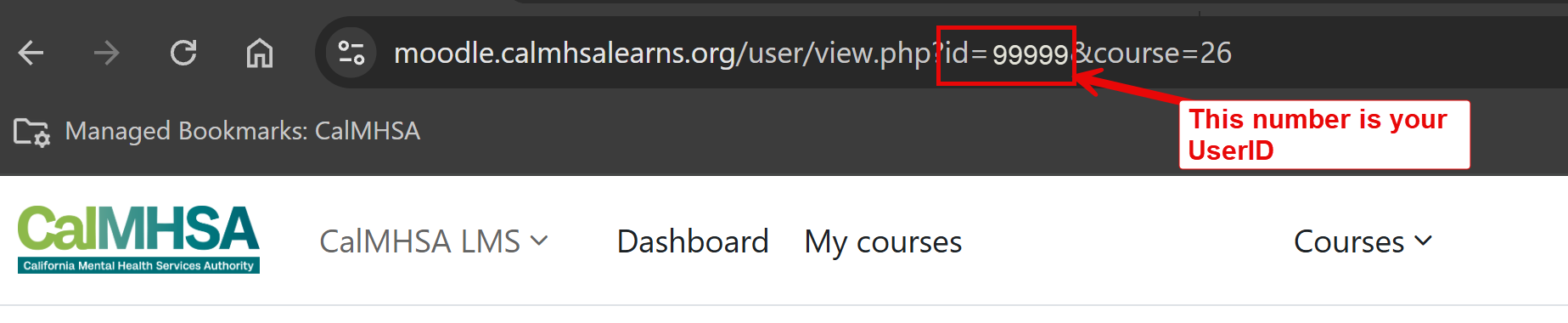
Look at the URL for that course.
-
In the URL, locate
id=— the number that follows is your UserID.
Example:
➡️ In this example, 99999 is the UserID.
https://moodle.calmhsalearns.org/user/view.php?id=99999&course=26➡️ In this example, 99999 is the UserID.
Please keep this UserID for your records, as it may be used by your county or supervisor to track training completion.
Thank you for your continued participation in CalMHSA trainings.